Start here
- Open it. In the browser, free, or the app for your own samples, MIDI and jams.
- Press Break on a channel for a random break, and press play at the top left.
- Switch things on. Pos, Seq, Pitch, Spin, Grain and Gate under the channel, the effects
under those. Everything runs in time.
In the app, your samples live in jspa/samples in your home folder, or any folder you
choose in Settings.
Tricks
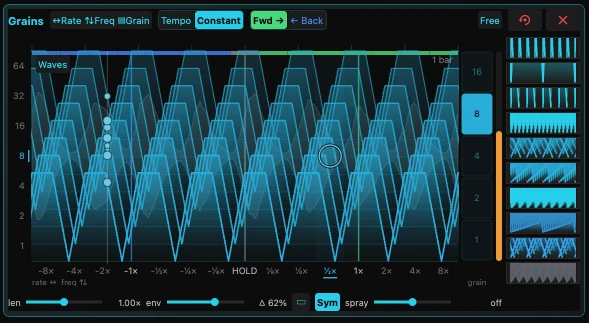
Freeze a break mid-hit
- Switch on Grain.
- Drag the point to HOLD: the sound stops moving and keeps sounding.
- Widen the spray for a cloud, narrow it for a buzz.
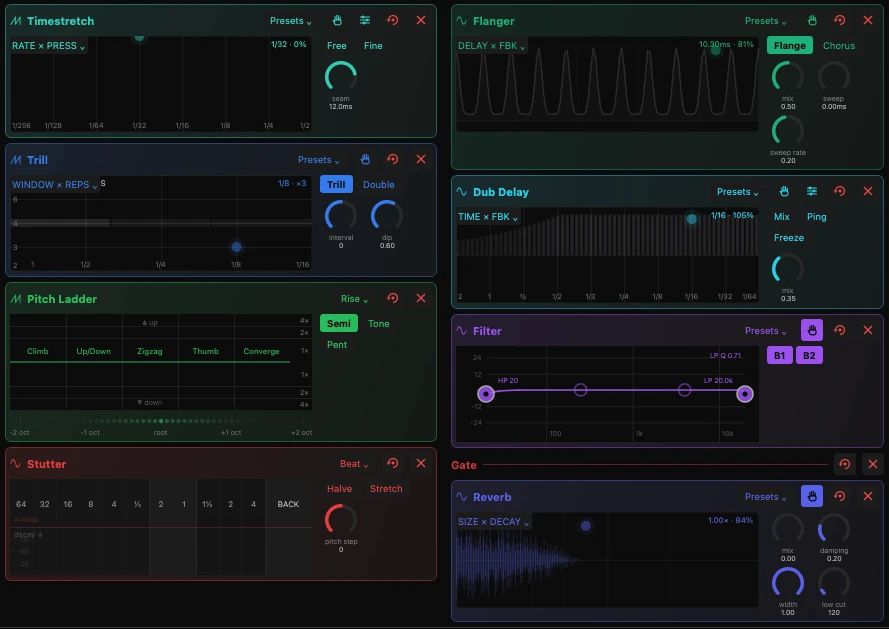
Stutter on the beat
- Switch on Stut in the effects.
- Hold 1/8: it repeats until you let go.
- Press Halve or Stretch while it holds.
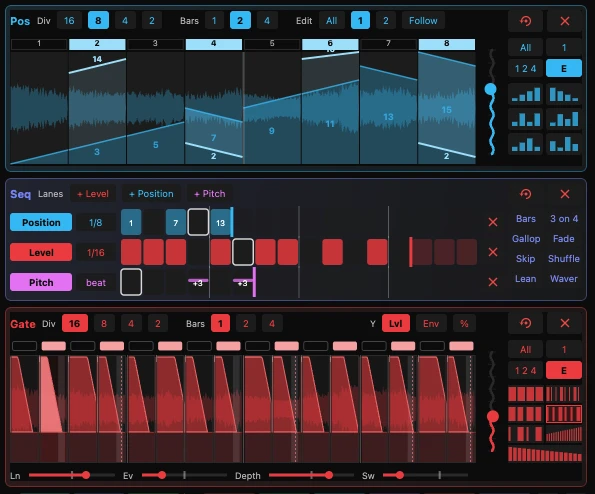
Reorder the slices
- Switch on Pos.
- Drag across the steps to draw where each one plays from.
- Or press one of the small shapes beside it for a ready-made order.
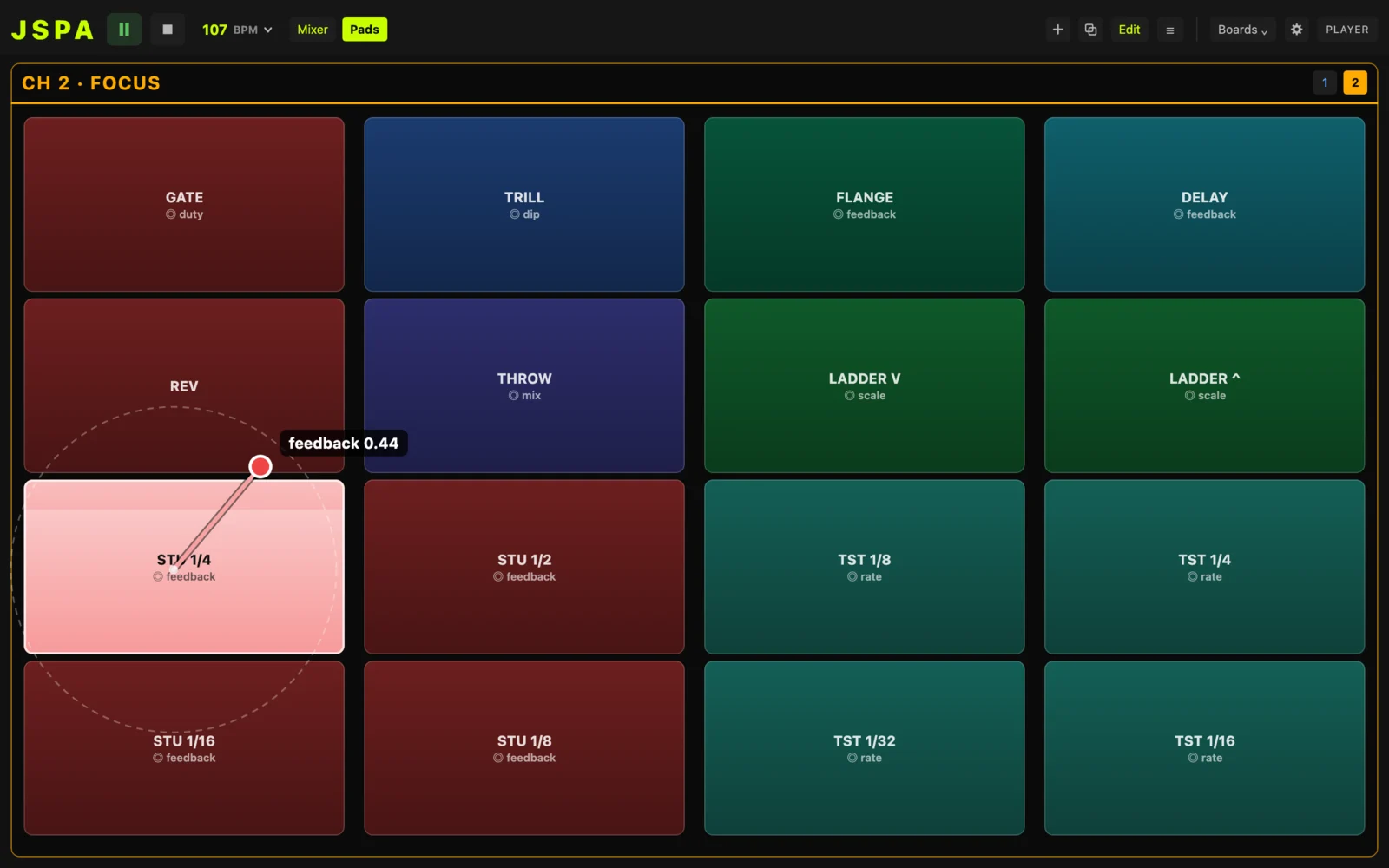
Lean on a pad
- Join the computer from a phone or tablet and open Boards.
- Press a stutter pad and drag away from it.
- The further you go, the further its feedback falls.
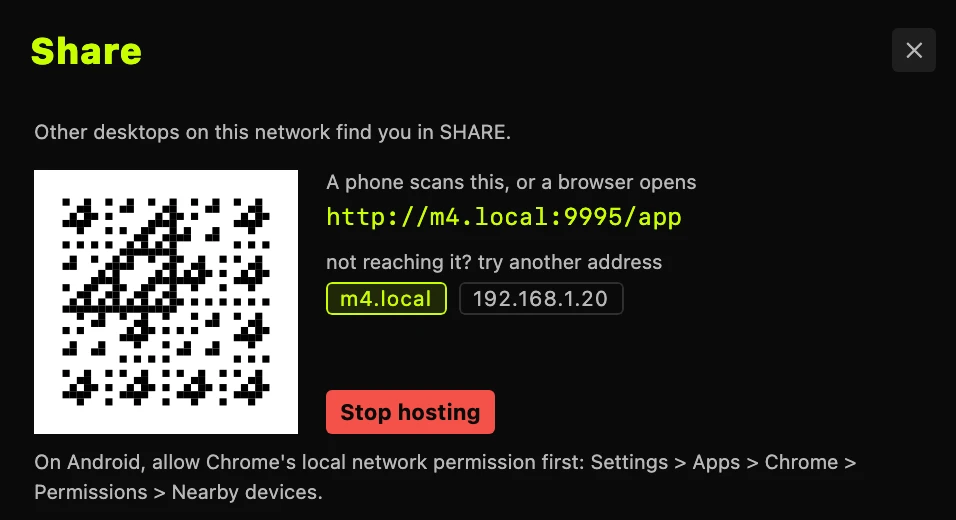
Play the computer from your phone
- On the computer: SHARE, then Host.
- Open JSPA on the phone and tap the computer. Or scan its code.
- The sound comes from the computer; any channel is yours.
More on playing together →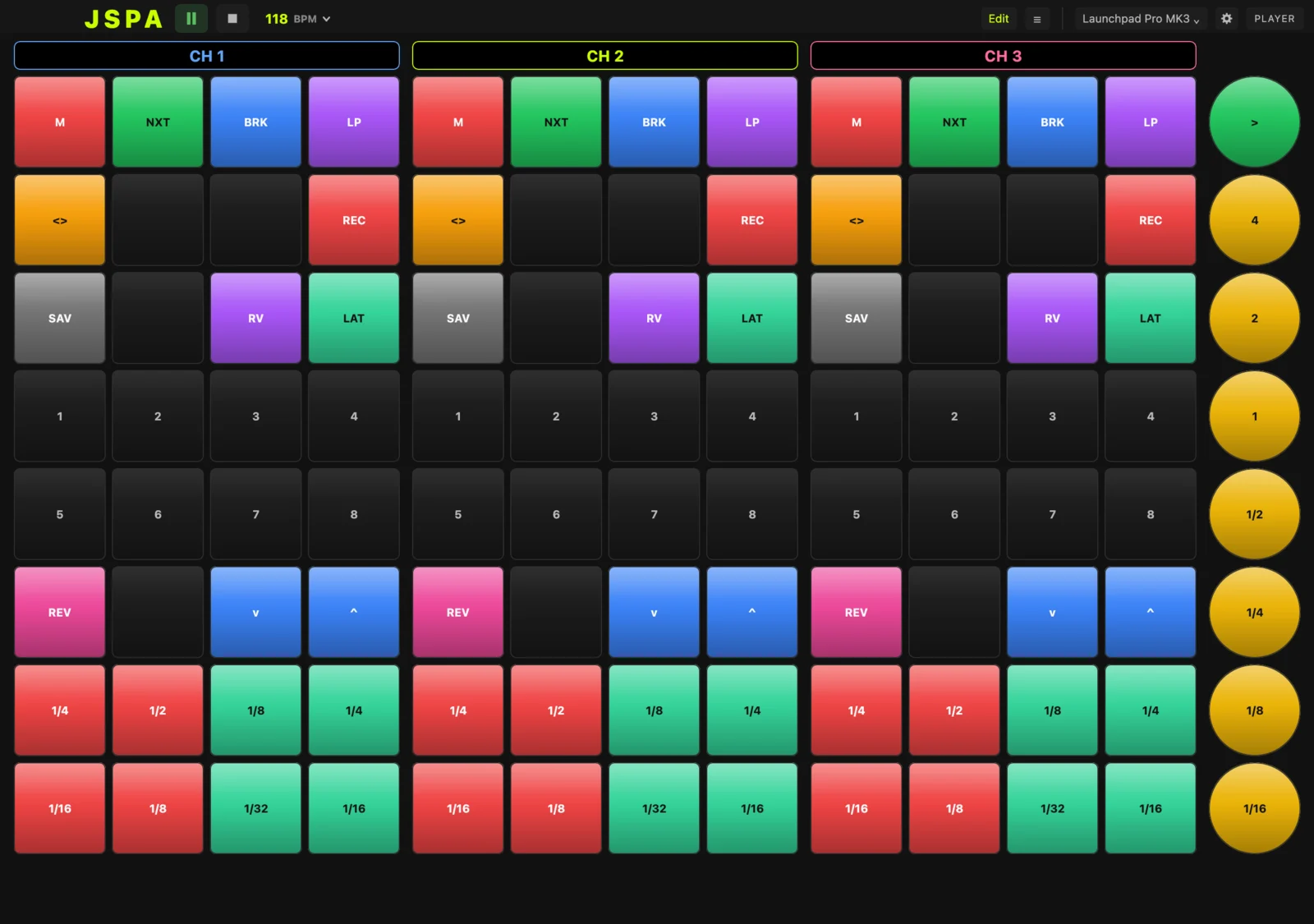
Play it on a Launchpad
- Plug in a Launchpad X: JSPA lights it up.
- Each half plays a channel: mute, Break, Loop, record, reverb and stutter lengths.
- Press harder on a stutter or stretch pad: how hard is part of the sound.
Glide on a Seaboard
- Plug in a Seaboard, LinnStrument or Exquis: JSPA takes it as keys.
- Each note sets the channel’s pitch; slide along to glide between them.
- Slide up a key to open the filter, and press harder to stretch the sound.
Shape an effect
- Switch an effect on from the row under the channel.
- Drag in its picture: across and up move the two values it names, like RATE × PRESS.
- Keep what you like from its Presets menu.
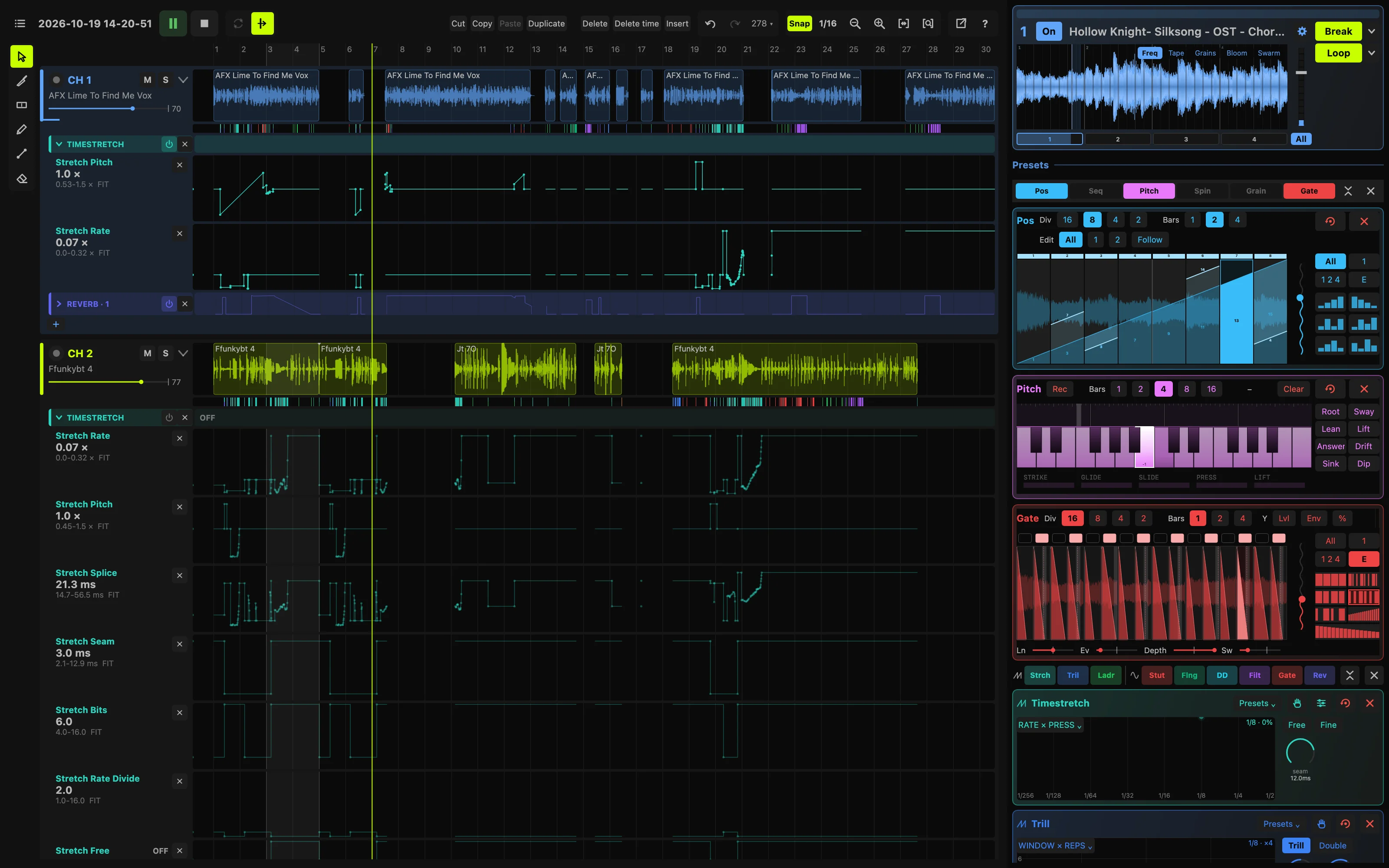
Record a take
- In the app, press REC under the master and pick how many bars.
- Play: it starts on the next bar line, every channel its own track.
- The take is saved in Recordings in your samples folder, every move with it.
Edit it after
- Open TIMELINE at the top.
- Each channel’s moves are drawn under its audio: drag them, or draw new ones.
- Export it to REAPER, with every move still editable.
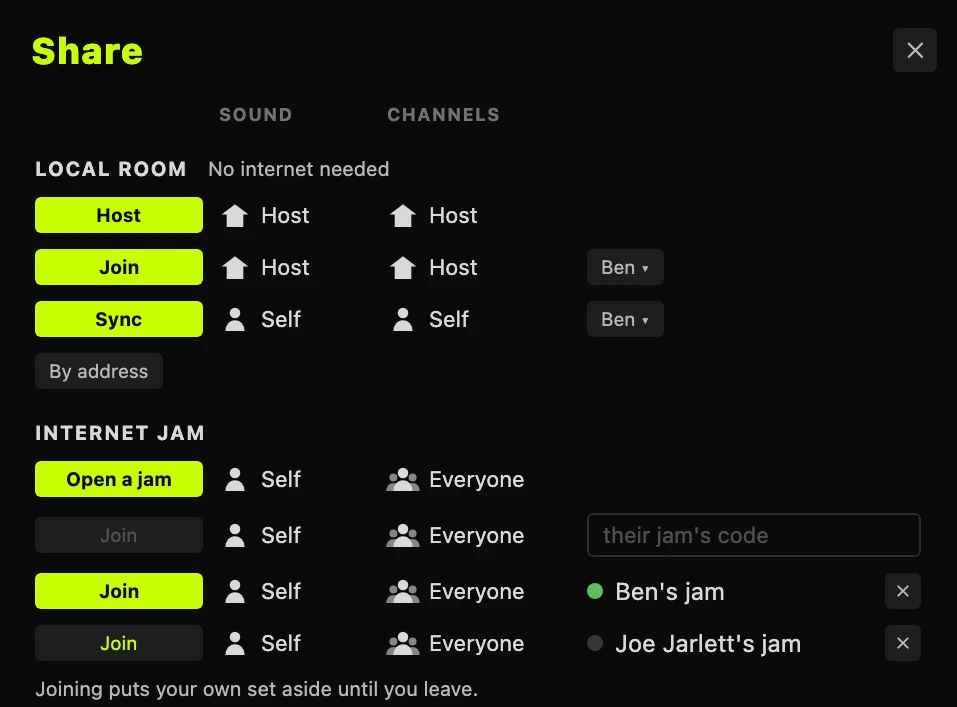
Jam across the country
- One of you: SHARE, then Open a jam, and send the code.
- Everyone else types the code and presses Join.
- Every computer now plays the same set, in time, through its own speakers.