Playing together
Everything starts from SHARE, top right in the desktop app.
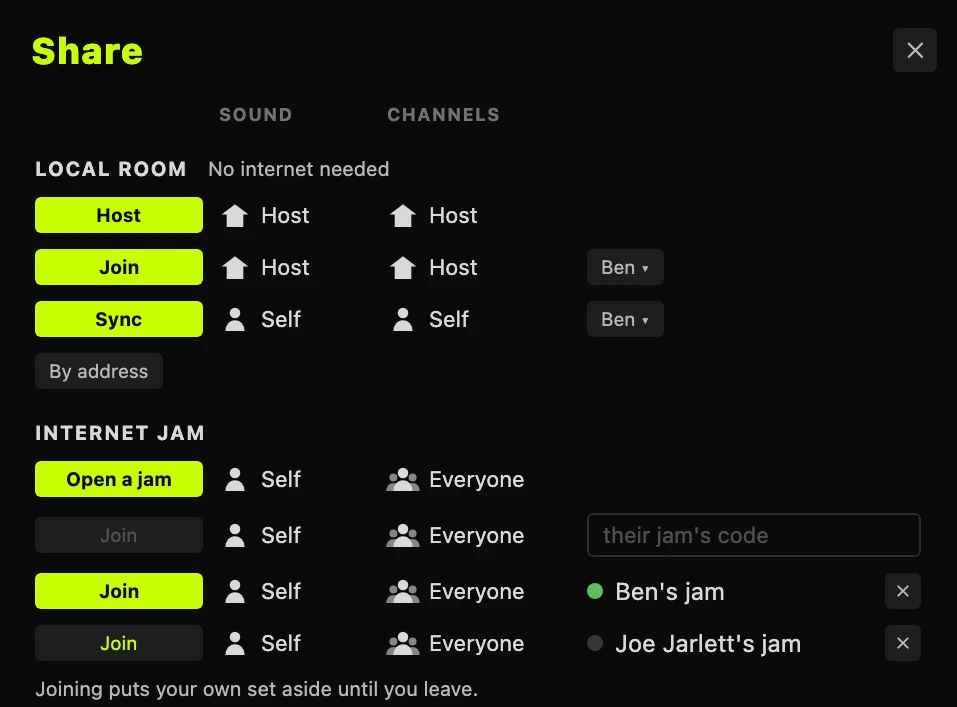
In one room
Host on the computer with the speakers. Everyone else plays it, and its speakers play everyone.
- A phone or tablet: open JSPA and tap the computer, or scan its code.
- Another computer: Join to play the host, or Sync to keep your own set on its beat.
Anywhere
Open a jam and send the code; the others Join with it. Every computer plays the same set on its own engine, in step on the bar. Only your moves cross the internet, never the sound.
If it does not connect
- "is not hosting": press Host on the computer first.
- Not listed: same Wi-Fi? Otherwise type the address the host shows.
- iPhone: Settings, Privacy & Security, Local Network: switch JSPA on.
- Android Chrome: Settings, Apps, Chrome, Permissions, Nearby devices.
- On Tailscale: type the host's Tailscale address.
New to JSPA? Start here.